OrderHUBx PackScan

Scan-Driven Warehouse Packing

Replace paper checklists and manual data entry with a barcode-scanning system. No keyboard. No mouse. No typing. The operator just scans — the system does the thinking.

The Problem & The Solution

Today's warehouse packing process is manual, error-prone, and slow. Here's how scan-driven packing transforms every pain point.

Problem Today How Scanning Fixes It
Wrong item packed System rejects mismatched items immediately — red flash + buzzer
Orders mixed up Each box is verified against the order before sealing
No record of what was packed Every scan is logged — full audit trail with timestamps
Operator needs computer skills Just point and scan — no typing, no menus, no training
Training takes days Training takes 10 minutes — scan the card, scan the item
Status updates forgotten System updates order status automatically on confirm
Carrier pickup count wrong System counts packages per carrier — one scan confirms all

How It Works

A wall-mounted TV, a barcode scanner, and laminated command cards. That's the entire interface.

📱

Scan Command Card

Operator scans a laminated barcode card on the wall to start a workflow — NEXT ORDER, STOCK TAKE, or CARRIER PICKUP.

📦

Scan Each Item

Pick items from the shelf and scan their serial barcodes. The screen shows green checkmarks for correct items, red flash for wrong ones.

Confirm & Done

When all items are verified, scan CONFIRM. The order is sealed, status is updated, and the next order is ready.
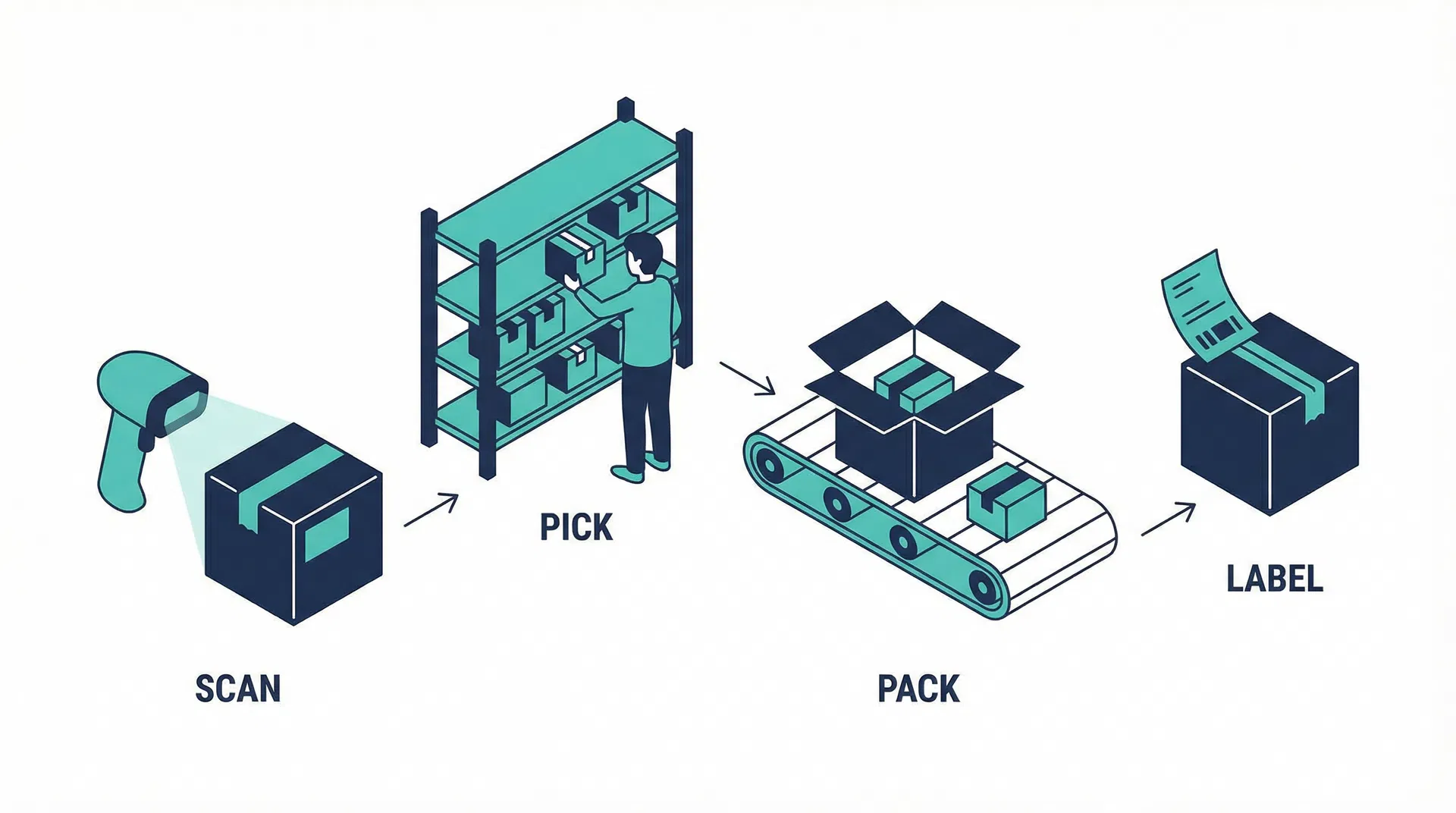
Scan, Pick, Pack, Label workflow

Workflows in Detail

Four scan-driven workflows cover every warehouse operation — from packing orders to counting inventory.

📦 Standard Packing (Serial Verification)
1
Scan NEXT ORDER

The screen shows the next pending order — customer name, address, and item list with quantities.

2
Pick & scan each item

Scan each item's serial barcode. Green checkmark for correct items. Red flash + buzzer for wrong items. Progress counter updates in real time.

3
All items verified — COMPLETE

When all items match, the screen shows a large green COMPLETE banner. Seal the box.

4
Scan CONFIRM

Order status updates to 'Ready to Ship'. Full audit trail logged. Screen returns to idle — ready for the next order.

📋 No-Printer Packing (Office-Printed Slips)
1
Scan PACK ORDER command

Screen prompts: "Scan the barcode on the packing label."

2
Scan packing label barcode

The system loads the specific order. Screen shows item list and sets the count (e.g., 3 items to pack).

3
Pick & scan each SKU with FIFO enforcement

Scan items from the shelf. If older stock exists, the system shows a FIFO alert — pick from the older batch first.

4
All items scanned — PACK BOX

Screen shows "PACK BOX". Put items in the box, pack it up, paste the shipping label.

5
Scan CONFIRM to log

Order is logged as packed and ready to ship. Status updates automatically.

📊 Stock Take (Inventory Counting)
1
Scan STKTAKE command

Screen enters Stock Take mode — "Scan the first item to begin counting."

2
Scan first item — sets the SKU

The first barcode determines which SKU is being counted. Screen shows the SKU name and expected count (e.g., "MicroClean 1 Gal — 0/14").

3
Scan remaining items

Counter goes up with each scan: 1/14, 2/14, 3/14... Wrong SKU scans are rejected. Duplicates are flagged.

4
Scan CONFIRM to log count

System records actual vs. expected count. Discrepancies are flagged (e.g., "12/14 — 2 units unaccounted").

🚚 Carrier Pickup (End-of-Day Handoff)
1
UPS driver arrives — Scan SHIP UPS

Screen shows: "12 packages ready for UPS" with a list of order numbers.

2
Scan each package's shipping label

Running count updates as each package is scanned. Checkmarks appear next to verified orders.

3
All packages verified — Scan CONFIRM

All orders marked as "Shipped". Nothing is left behind. Same process for USPS or any carrier.

The Packing Station Interface

The operator's entire interface is a wall-mounted TV and a set of laminated command barcodes. No computer, no keyboard, no mouse.

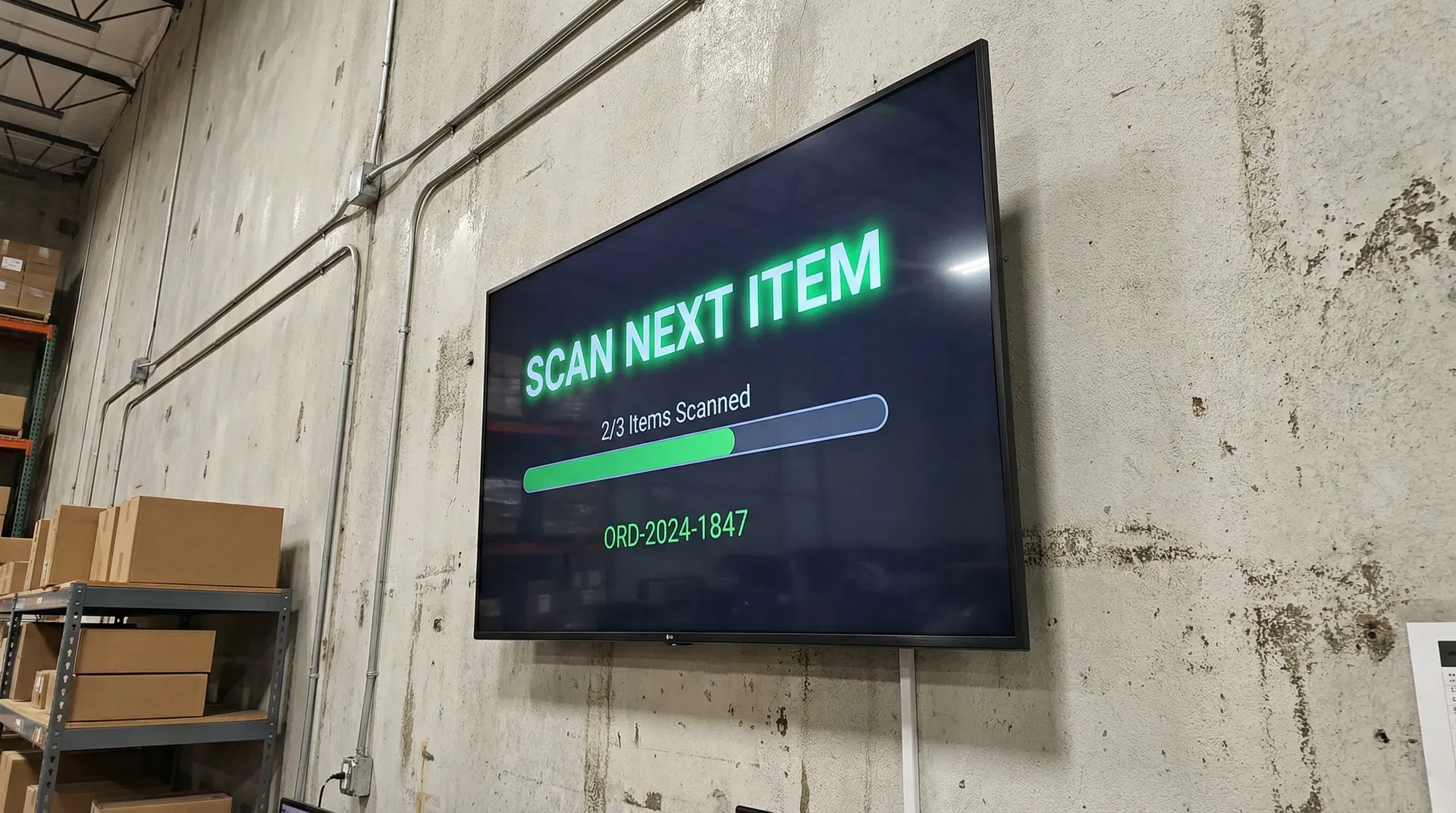
Wall-Mounted TV Display

Large, high-contrast text visible from across the warehouse. Green for success, red for errors, amber for warnings. The display updates instantly with every scan.

Warehouse TV display showing packing interface

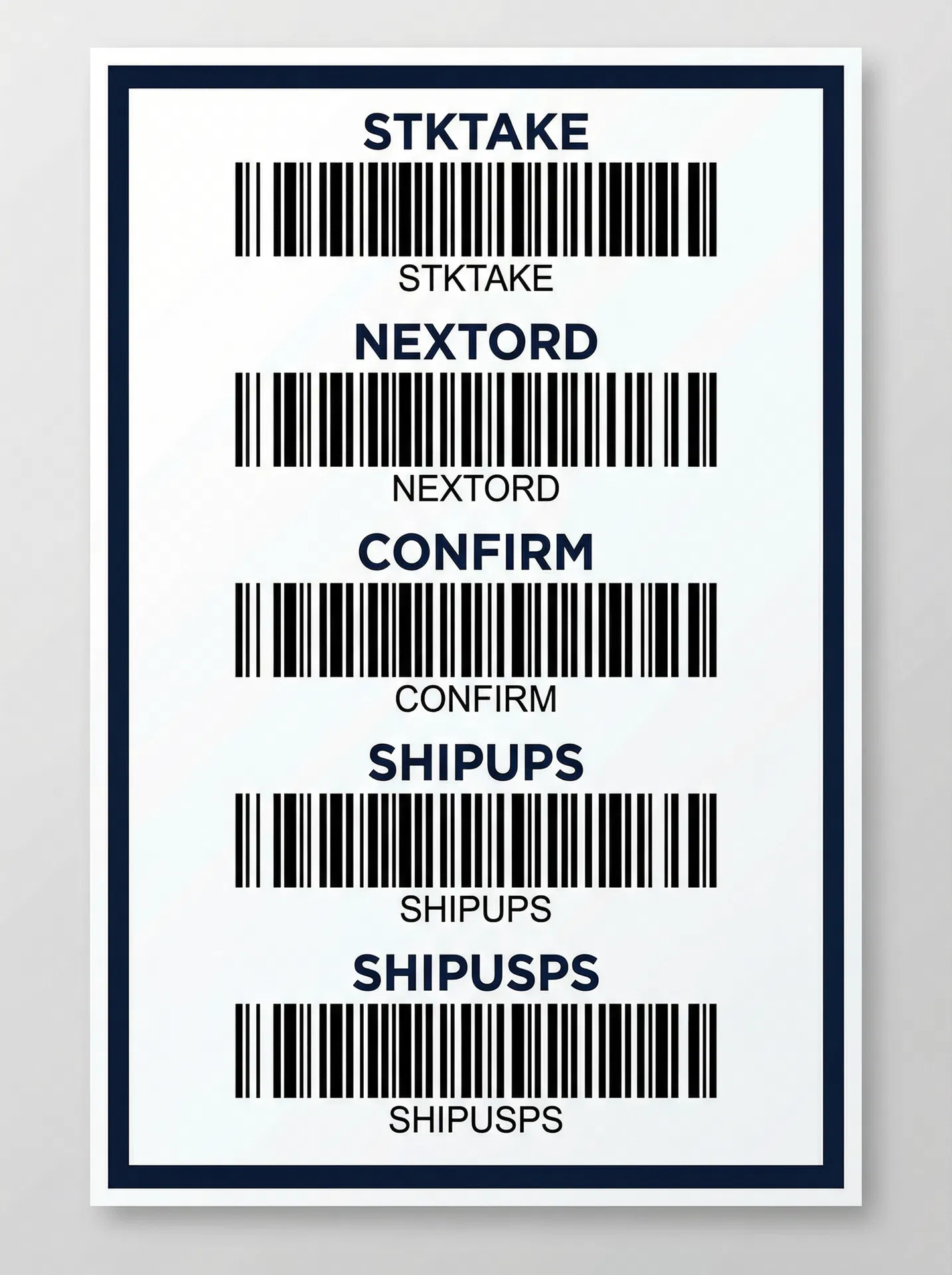
Wall-Mounted Command Chart

Large, spaced-out barcodes on a laminated poster. Each command triggers a specific workflow. Scannable from arm's length — no accidental mis-scans.

Command barcode chart for warehouse operations

Serial Label System

Every product unit gets a unique barcode sticker. It starts with no meaning — and gains identity through a simple two-scan process.

🏷️

Print Stickers in Bulk

Pre-print thousands of unique 6-character barcode stickers on thermal rolls. At this point, each code is just a unique number — no product association.

📱

Initialize During Production

Scan 1: Scan the product's SKU barcode. Scan 2: Peel a serial sticker, apply it to the product, scan it. The sticker is now linked to that product forever.

🛡️

Full Traceability

Every unit is traced to its production batch. If a customer reports a defect — scan the serial, find the batch, check all units from that batch.

Full Product Journey

1

Print sticker → Apply to product → Scan to initialize

2

Product sits on shelf (serial = available)

3

Order comes in → operator scans serial at packing station

4

System verifies: right product for this order? ✓

5

Product ships → serial linked to order + customer

6

Customer calls about defect → look up serial → find batch → trace all units

Real-time stock take operation

Real-Time Stock Take

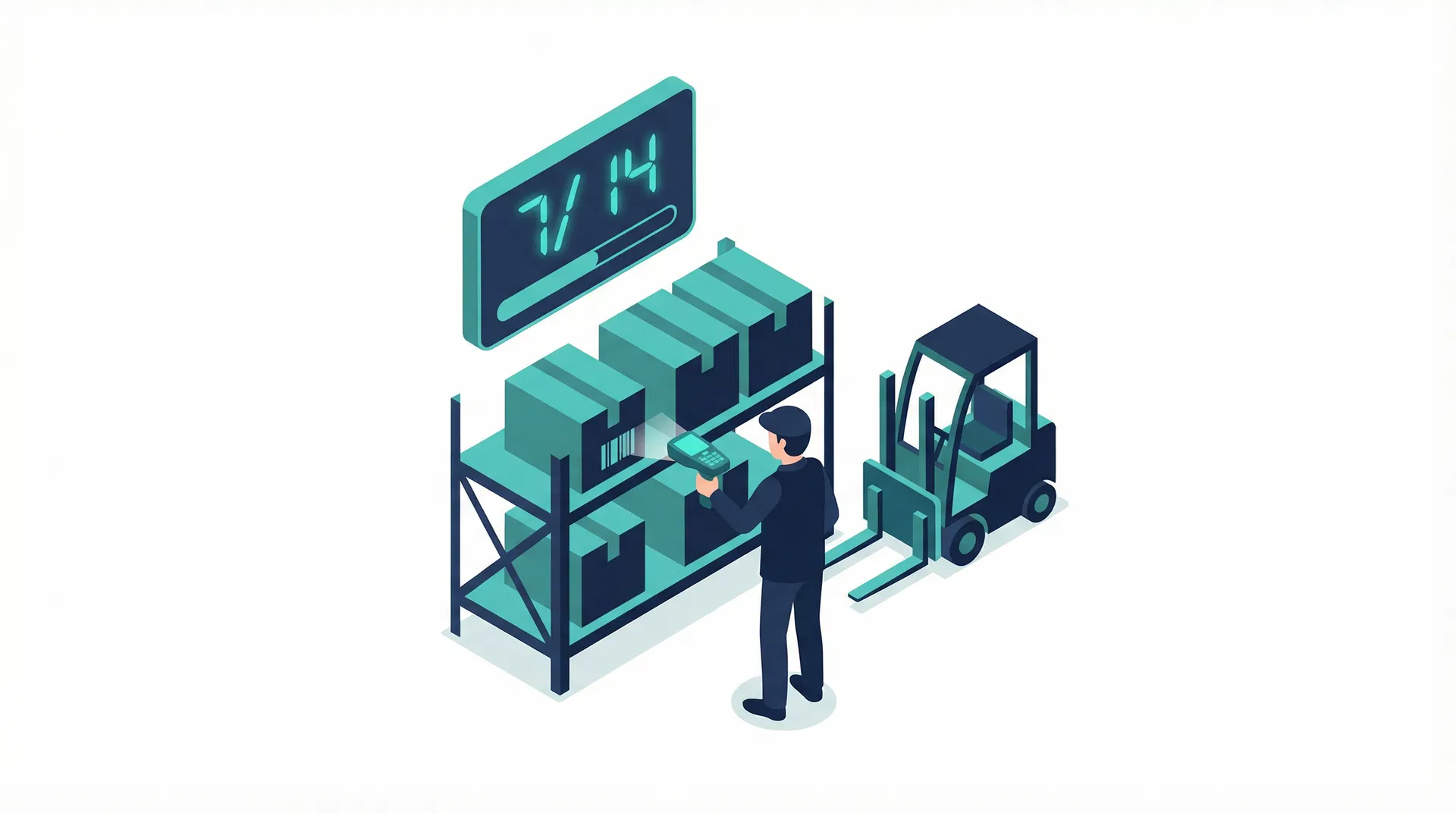
No clipboards. No spreadsheets. Scan the STKTAKE command, then scan every unit on the shelf. The screen shows a running counter in large font — visible from across the warehouse.

First scan sets the SKU — system knows what you're counting
Counter updates in real time: 1/14, 2/14, 3/14...
Wrong SKU scans are rejected — no contaminated counts
Duplicate scans are flagged — no double-counting
Discrepancies are automatically reported on confirm

Hardware

Off-the-shelf hardware. Each station is independent — start with one, scale to many.

Per Station

Raspberry Pi 4/5Runs the packing screen
Any TV (HDMI)Wall display (reuse existing)
Bluetooth ScannerWireless, belt-clip
Cables + SD + PowerAccessories
Command Cards (10)Laminated barcodes

Shared Equipment

Thermal Label PrinterSerial barcode stickers (shared across stations)
Scale anytime: Add more stations later — each is independent. Just another Pi + any TV + scanner. No server upgrades needed.

What Management Gets

Real-time visibility, zero packing errors, and full traceability — without adding software costs.

🛡️

Zero Packing Errors

Wrong items are rejected before the box is sealed. Every item is verified by serial barcode.

📋

Full Traceability

Every item serialized, every scan logged, every order verified. Complete audit trail.

⏱️

10-Minute Training

New operators productive in minutes, not days. Scan the card, scan the item — that's it.

📊

Real-Time Dashboard

See orders packed, in progress, carrier pickups — all in real time from the office.

💰

No Extra Software Cost

Built into existing OrderHUB system. No new licenses, no monthly fees.

🖥️

~$100 Per Station

Off-the-shelf hardware. Reuse any existing TV. Scale by adding stations.

Implementation Roadmap

Phased rollout — each phase delivers standalone value. Start with one station, prove it out, then expand.

Phase 1

Core Scan Engine

Standard Packing + No-Printer Packing workflows. Command cards, screen display, scan logging, OrderHUB integration.

Pack verification
FIFO enforcement
Audit trail
Status automation
Phase 2

Carrier Pickup

End-of-day shipment verification. UPS, USPS, and custom carrier pickup workflows.

Per-carrier pickup
Package counting
Partial pickup handling
Pickup logging
Phase 3

Serial Tracking

Full serial number system, stock take workflow, and production integration.

Serial initialization
Stock take counting
Batch traceability
Quality control

Before & After

✕ Before

Look at computer → read order → find items → check paper list → type update → hope nothing was missed → next order

Manual cross-checking
Paper checklists
Computer skills required
Training takes days
Errors discovered after shipping

✓ After

Scan card → scan items → scan confirm → next. Hands never leave the product and the scanner.

Automatic verification
Zero paper
No computer skills needed
10-minute training
Errors caught before sealing

Pricing

Add OrderHUBx PackScan to any OrderHUB implementation. One-time setup cost, no monthly fees.

📦 WMS / Scan-Driven Packing Module

Custom Quote
Based on number of stations, workflows, and integration scope
Standard Packing with serial verification
No-Printer Packing with FIFO enforcement
Stock Take (inventory counting)
Carrier Pickup verification (UPS, USPS, etc.)
Serial label system with batch traceability
Wall-mounted TV interface — no computer needed
Full audit trail and real-time dashboard
Hardware: ~$100 per station
Schedule Consultation

Frequently Asked Questions

Common questions about OrderHUBx PackScan, hardware requirements, and implementation.

What if Wi-Fi goes down?

The Pi stores scans locally and continues operating without interruption. At all times, the Pi maintains a local JSON dataset with enough order data to continue packing operations for 2–3 hours. The team is alerted when the connection to the Pi is down, and all data syncs automatically when the connection is restored.

Can we use existing TVs?

Yes — any TV with an HDMI input works. No smart TV features needed. The Raspberry Pi connects via HDMI and handles all the display logic. If you already have TVs mounted in your warehouse, your per-station cost drops to around $50–70.

How long does training take?

About 10 minutes per operator. The entire workflow is: scan the command card, scan the items, scan confirm. There are no menus, no keyboard input, and no computer skills required. New hires can start packing on their first day.

Do we need a special barcode printer?

One shared thermal label printer ($100–150) is used for printing serial barcode stickers. Standard shipping labels still print from any office printer. The thermal printer is shared across all stations — you only need one.

Can we add more stations later?

Each station is completely independent — just add another Raspberry Pi, connect it to any TV, and pair a scanner (~$100 total). No server upgrades, no software changes. Start with one station to prove the workflow, then scale as needed.

Does it integrate with our existing OrderHUB?

Yes — PackScan is built directly into OrderHUB. No extra software licenses, no API configuration, and no monthly fees. It reads orders, updates statuses, and logs audit trails using the same database your OrderHUB system already uses.

What if an item doesn't have a barcode?

The serial label system covers this. During production or receiving, you print unique barcode stickers on a thermal printer and apply them to each product. Two scans (SKU + sticker) link the sticker to the product permanently.

How does it handle returns or exchanges?

Scan the returned item's serial barcode to log it back into inventory with full history preserved. The system tracks which order it came from, when it was shipped, and when it was returned — complete traceability from production to return.

Ready to Eliminate Packing Errors?

Schedule a free consultation to see how PackScan fits into your OrderHUB setup. We'll walk you through the workflows and provide a custom quote.