See OrderHUBx In Action

A visual walkthrough of how OrderHUBx simplifies multi-channel order management—from setup to daily operations.

The whole platform at a glance

Intake, processing, and fulfillment — all in one engine. Click any card to explore that capability.

The OrderHUBx Journey

We have all the building blocks ready. Here's how we assemble your custom solution and get you running in 1-2 weeks.

1

Consultation & Setup

We install on your server and connect all sales channels

2

Training & Go Live

Your team gets hands-on training before launch

3

Ongoing Support

Continuous updates, monitoring, and assistance

1

Initial Setup & Configuration

We install OrderHUBx on your server and configure all your sales channels. No technical expertise needed on your end.

  • Server Installation: We handle all technical setup
  • Database Configuration: Optimized for your order volume
  • Channel Connections: Link Amazon, Walmart, WooCommerce, eBay
  • SKU Mapping: Match your products across all channels
  • Warehouse Setup: Configure your fulfillment locations

Configuration Dashboard

We handle all server installation, database setup, and channel connections so you can focus on your business

Your Command Center: The Dashboard

Everything your team needs in one clean, intuitive interface. No clutter, no confusion—just the data that matters.
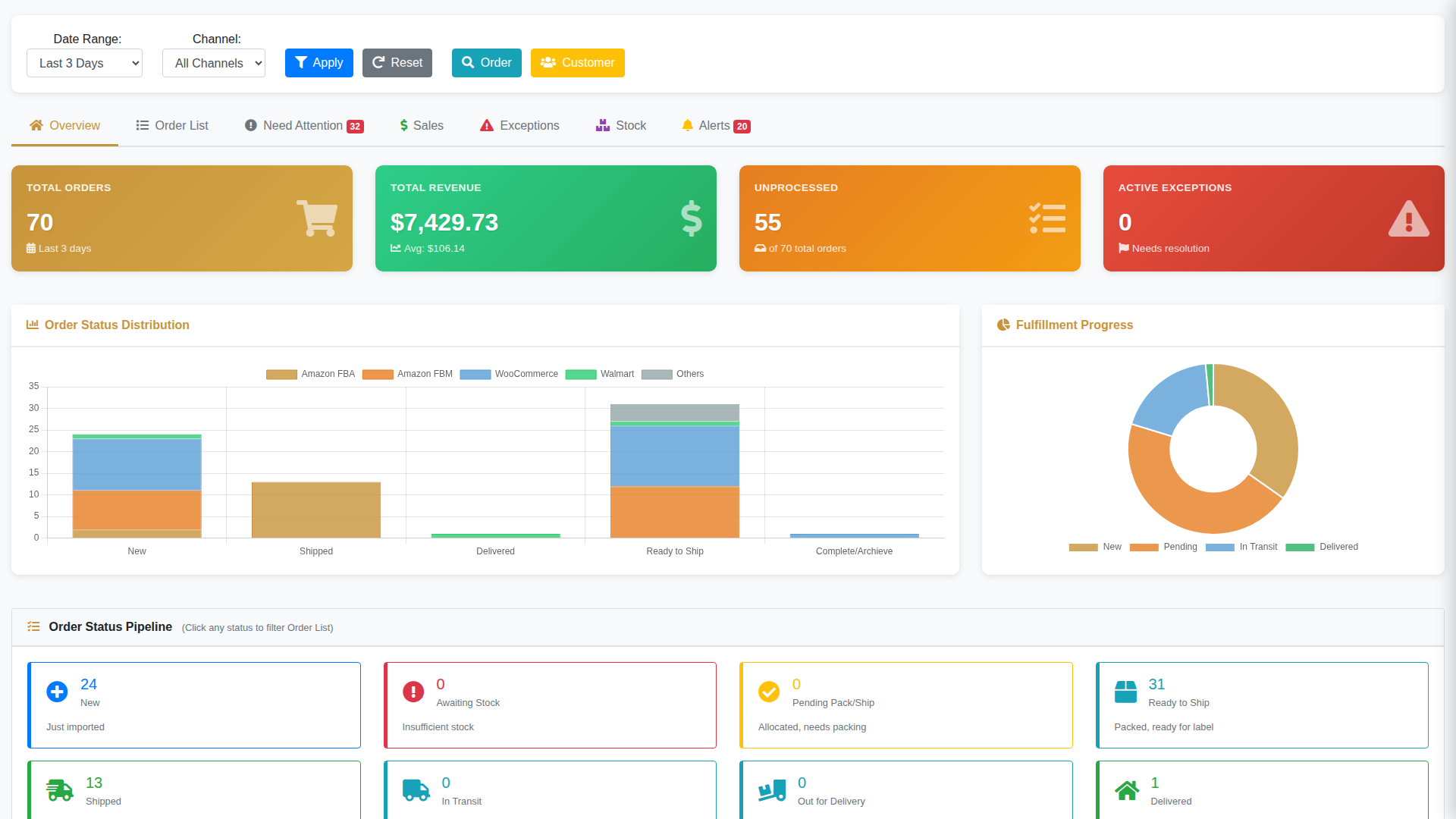
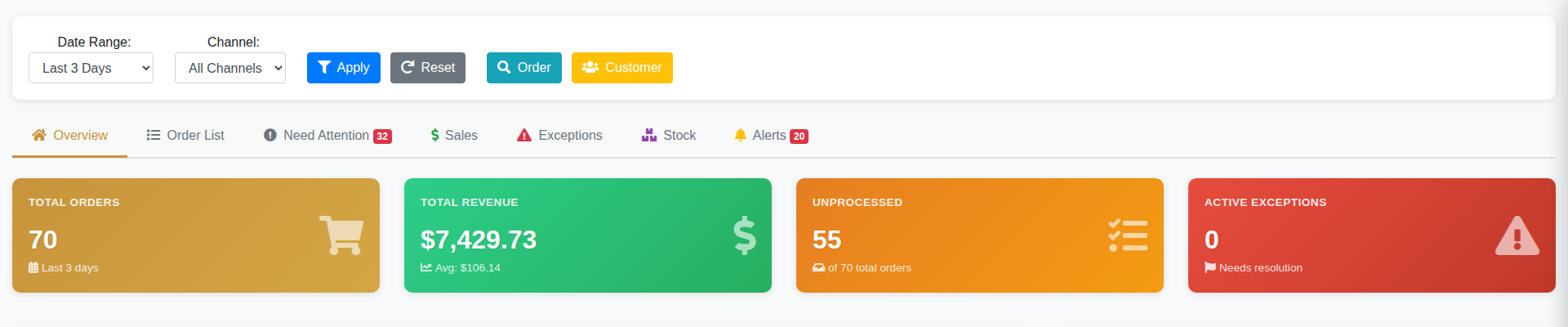
OrderHUBx Main Dashboard - Real-time order overview with status pipeline, charts and KPI widgets
Real-time stats - order counts, revenue, and fulfillment KPIs

Live order counts, revenue, and fulfillment metrics updated every 30 minutes
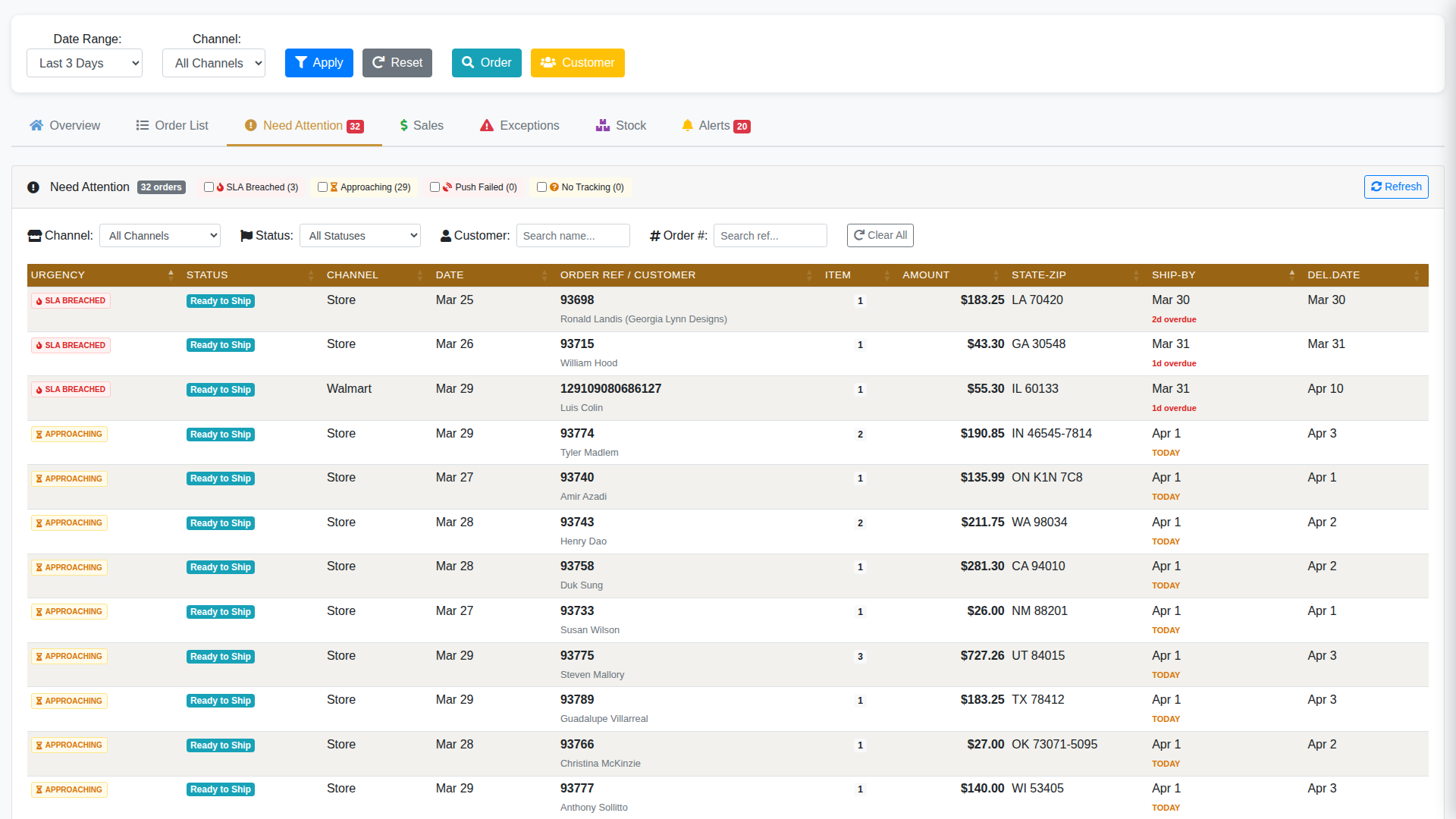
Need Attention center - SLA breached and approaching deadline orders

AI ranks alerts by urgency—SLA breaches, approaching deadlines, and shipping delays prioritized smartly
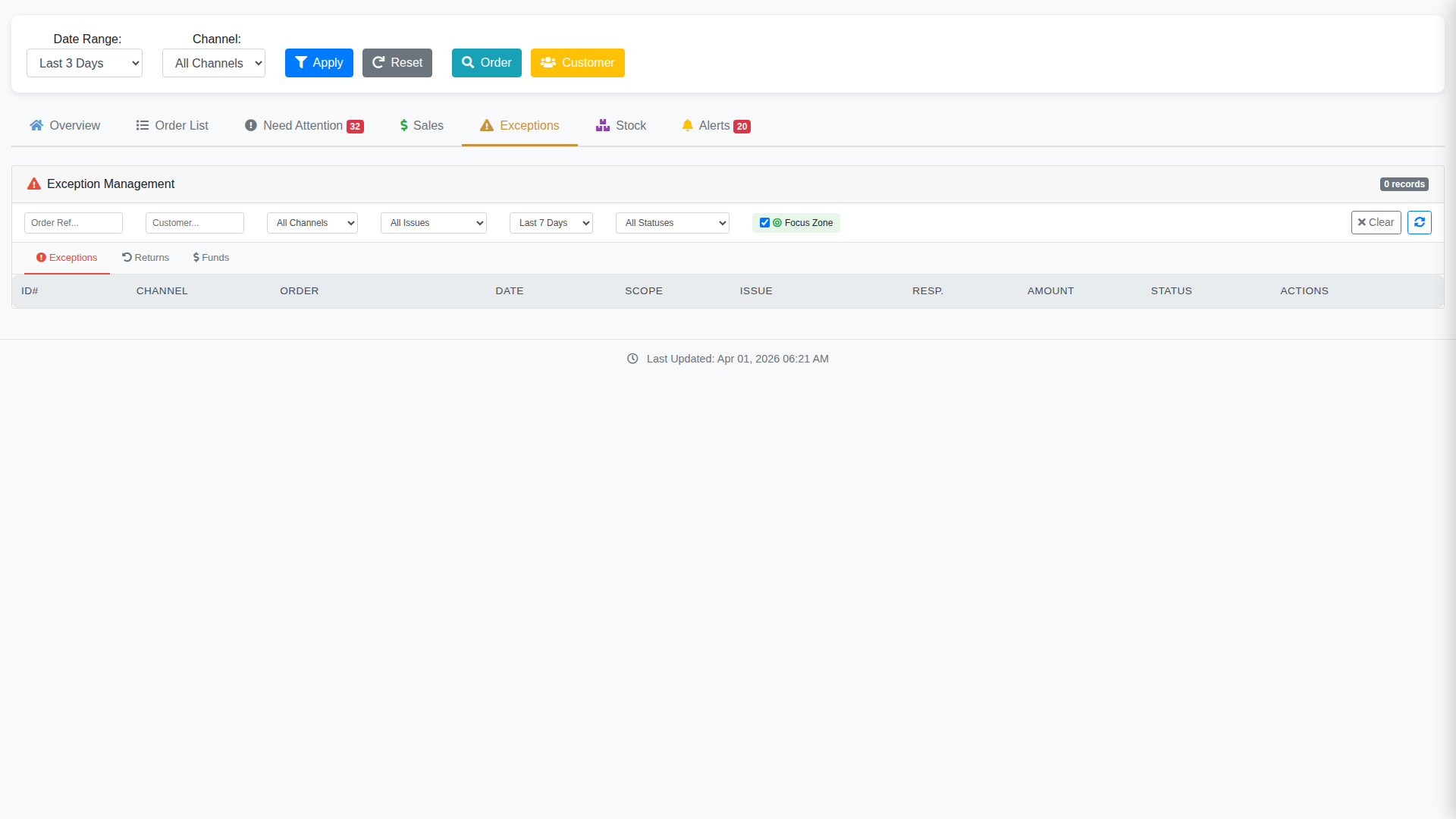
Exception Management - returns, refunds, and order issues

Manage exceptions, returns, and refunds across all channels from one screen
2

Automatic Order Sync & Management

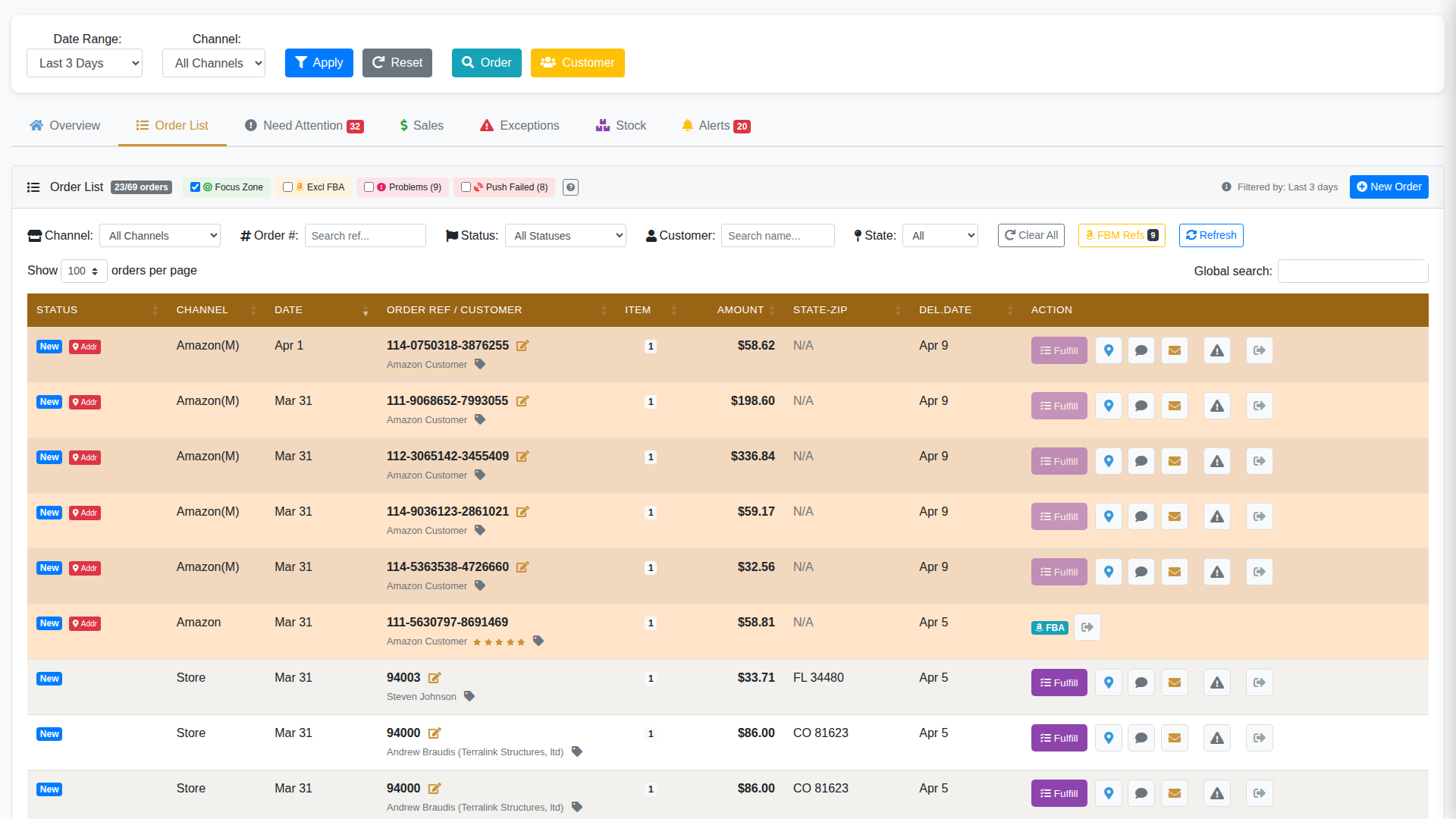
Orders flow in automatically from all channels every 30 minutes. No manual imports, no missed orders.

  • Multi-Channel Import: Amazon, Walmart, WooCommerce, eBay—all in one list
  • Auto-Allocation: Stock automatically assigned to orders based on availability
  • Unified View: See all orders regardless of where they came from
  • Smart Filtering: Sort by status, channel, date, customer, SKU
  • Batch Actions: Process multiple orders simultaneously
Order list view - multi-channel orders with status, filters, and batch actions
3

Real-Time Inventory Tracking

Know exactly what's in stock, where it's located, and what's allocated—across all warehouses.

  • Multi-Location View: Track stock in FBA, 3PL, and in-house warehouses
  • Available vs Allocated: See what can be sold vs what's reserved
  • Low Stock Alerts: Get warned before you run out
  • Stock Movement History: Full audit trail of all changes
  • Transfer Management: Move inventory between locations

Inventory Dashboard

Multi-warehouse stock levels with available vs allocated quantities, low stock alerts, and transfer management

4

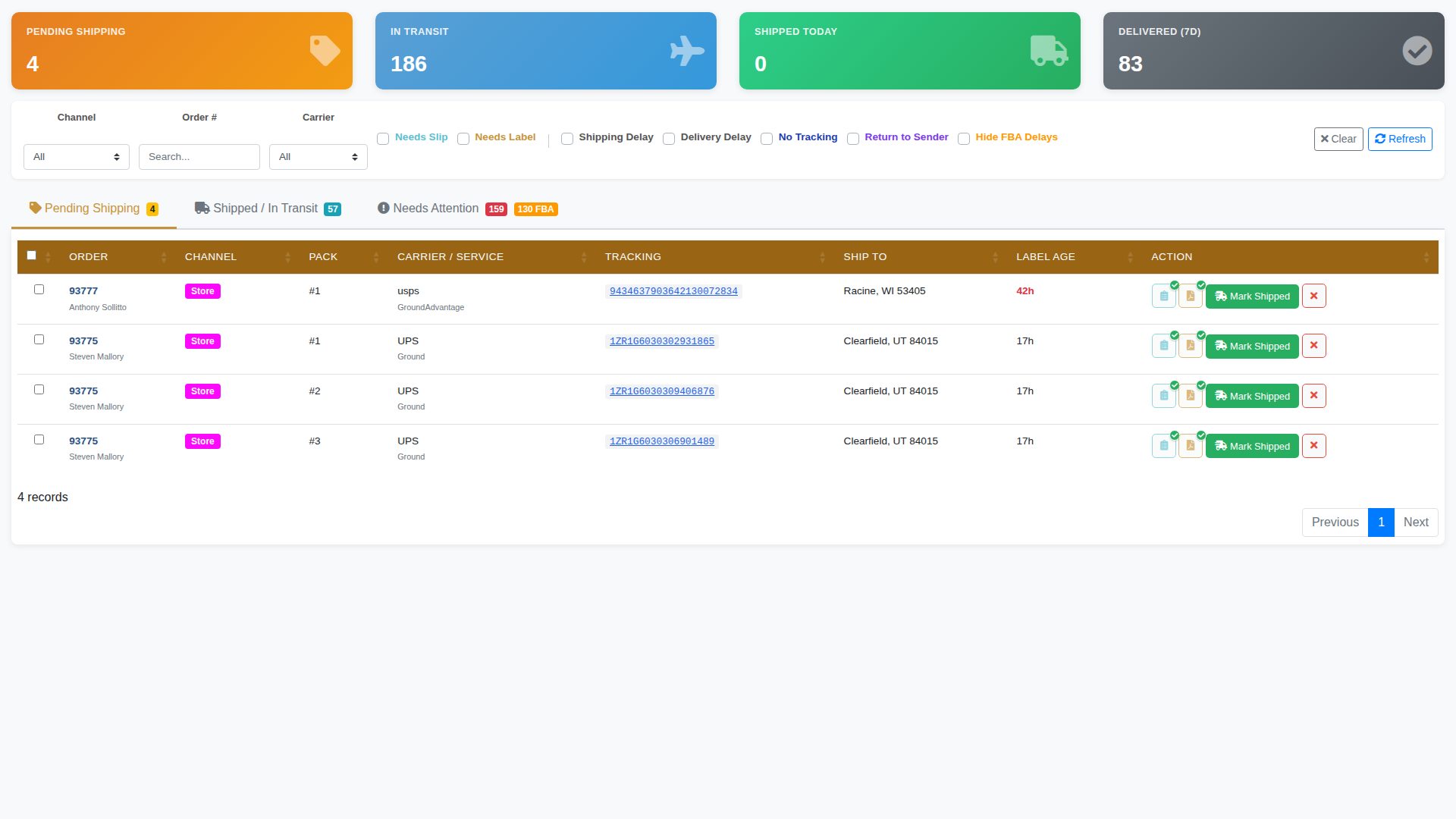
One-Click Shipping Labels

Generate shipping labels for hundreds of orders in minutes. ShipRush integration handles all carriers automatically.

  • Batch Label Generation: Create labels for multiple orders at once
  • Rate Shopping: Automatically select best carrier rates
  • Multi-Carrier Support: USPS, UPS, FedEx, DHL all in one place
  • Auto Tracking Sync: Tracking numbers pushed back to all channels
  • Print Queue: Organize labels before printing
ShipX pending shipping - orders ready for label generation with carrier selection

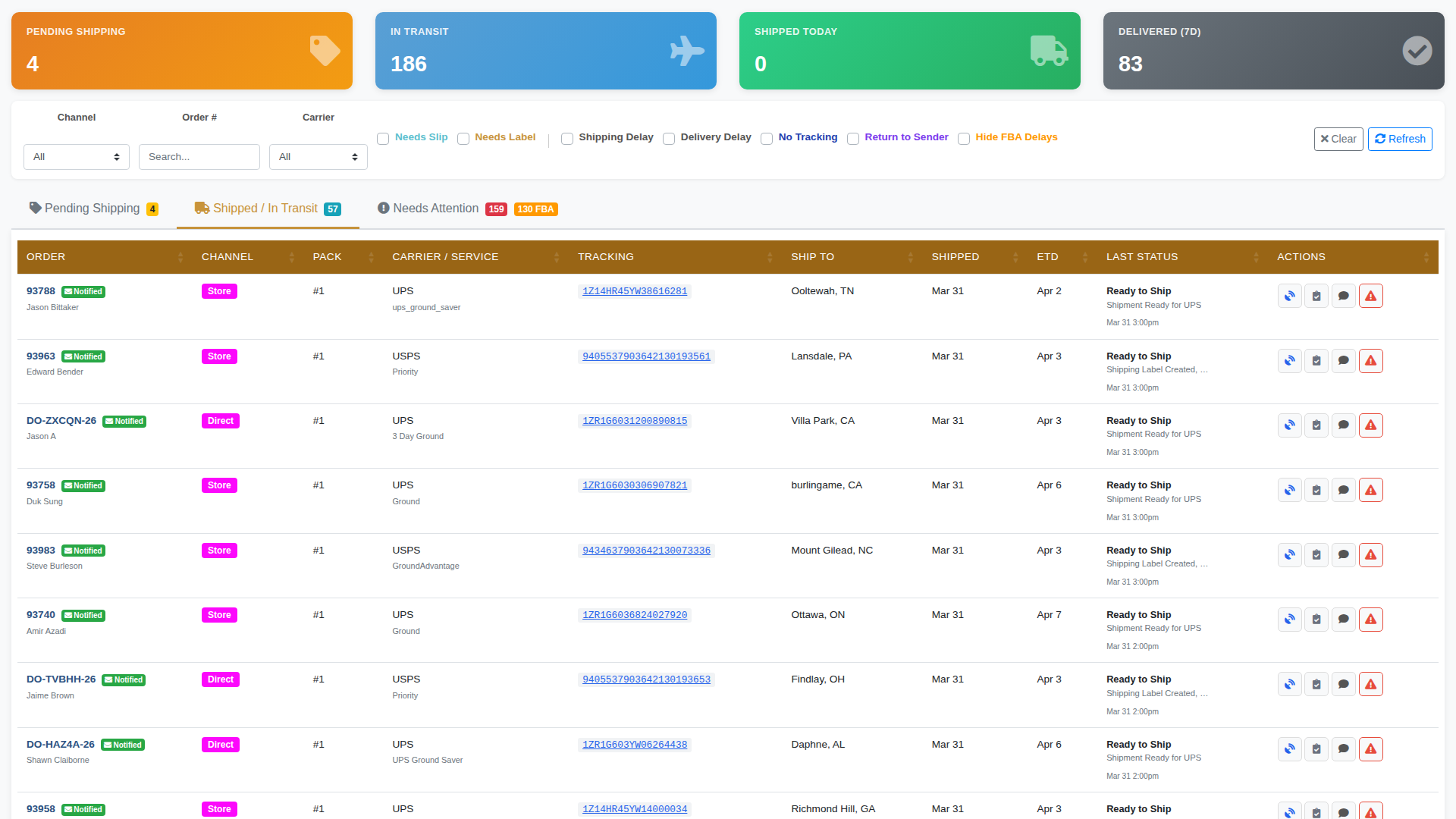
Shipment Tracking & Delivery Monitoring

ShipX shipped tracking - live tracking status for all shipments with carrier details

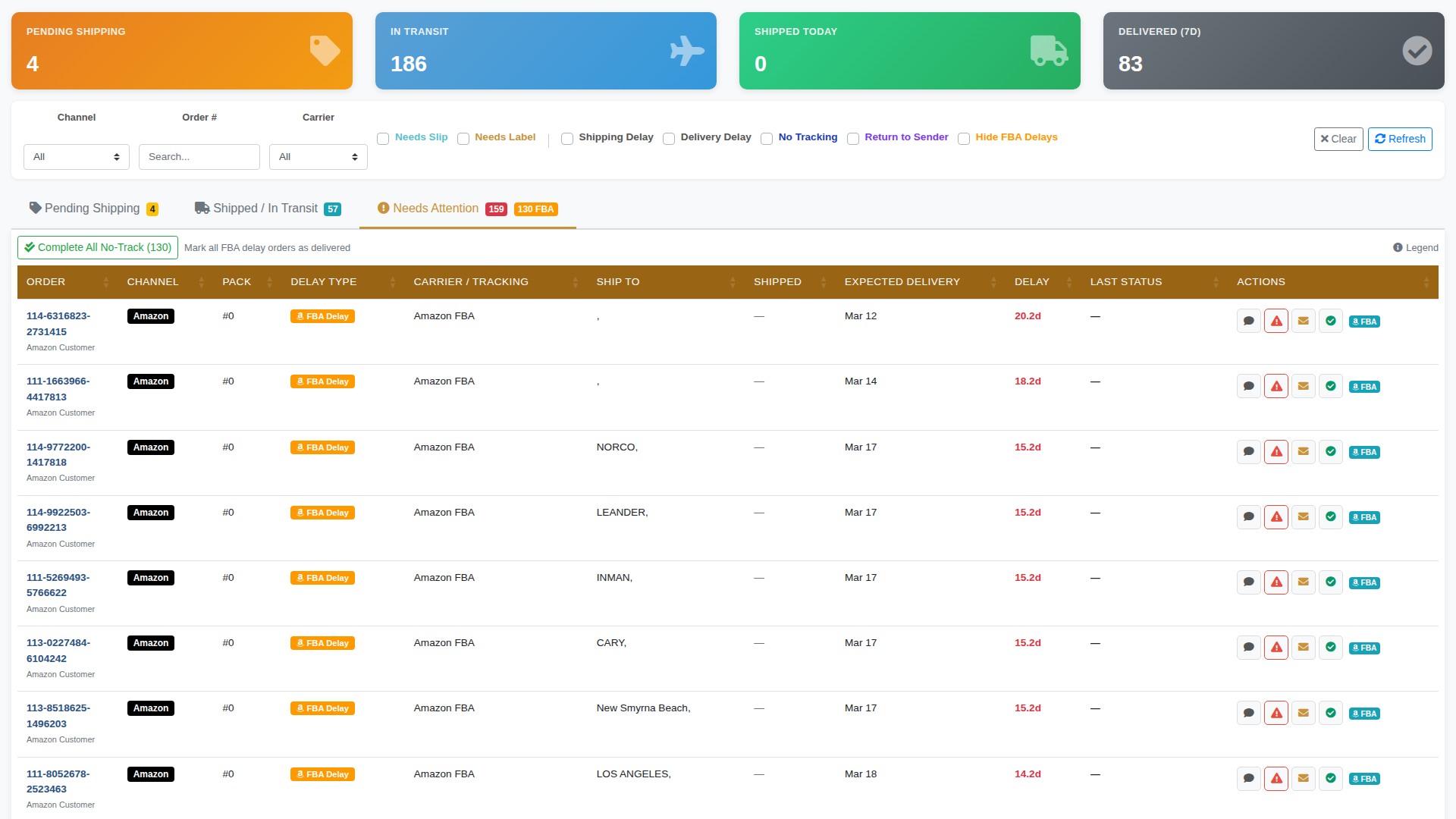
Shipping Exceptions & Delays

Automatically flag FBA delays, missing tracking, and delivery issues so nothing falls through the cracks

ShipX needs attention - flagged shipping delays and FBA issues requiring action

Seamless Channel Integration

All your sales channels flow into one unified system

Integration Flow

Amazon + Walmart + WooCommerce + eBay → OrderHUBx → ShipX → USPS, UPS, FedEx

Your Team's Daily Workflow: Simplified

See how OrderHUBx transforms complex multi-channel operations into a simple, streamlined process

❌ Without OrderHUBx

  1. Log into Amazon Seller Central → export orders
  2. Log into Walmart Seller Center → export orders
  3. Log into WooCommerce admin → check orders
  4. Log into eBay → check orders
  5. Manually combine into spreadsheet
  6. Check inventory in separate system
  7. Manually allocate stock
  8. Export for shipping software
  9. Import tracking numbers
  10. Manually update each channel

⏱️ 3-4 hours per day for 100 orders

✅ With OrderHUBx

  1. Log into OrderHUBx dashboard
  2. View all orders from all channels
  3. Orders already allocated automatically
  4. Select orders → Generate labels
  5. Print → Pack → Ship
  6. Tracking syncs to all channels automatically

⚡ 30 minutes for 100 orders

💰 Saves 2.5-3.5 hours per day

Customer Management & Reporting

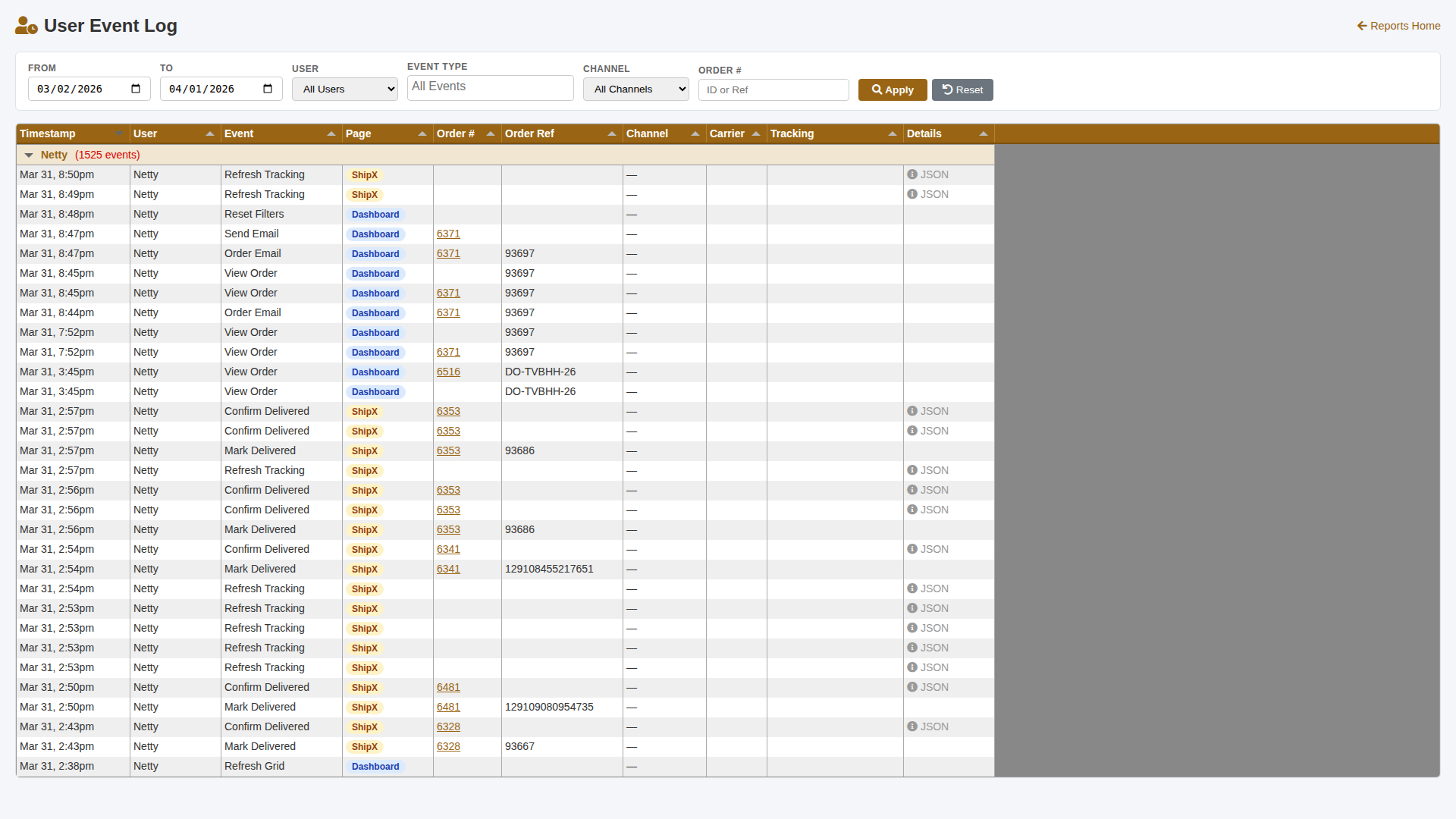
User Event Log

User Event Log - track team activity across Dashboard and ShipX

Track team activity across Dashboard and ShipX. See who did what, when, and on which orders.

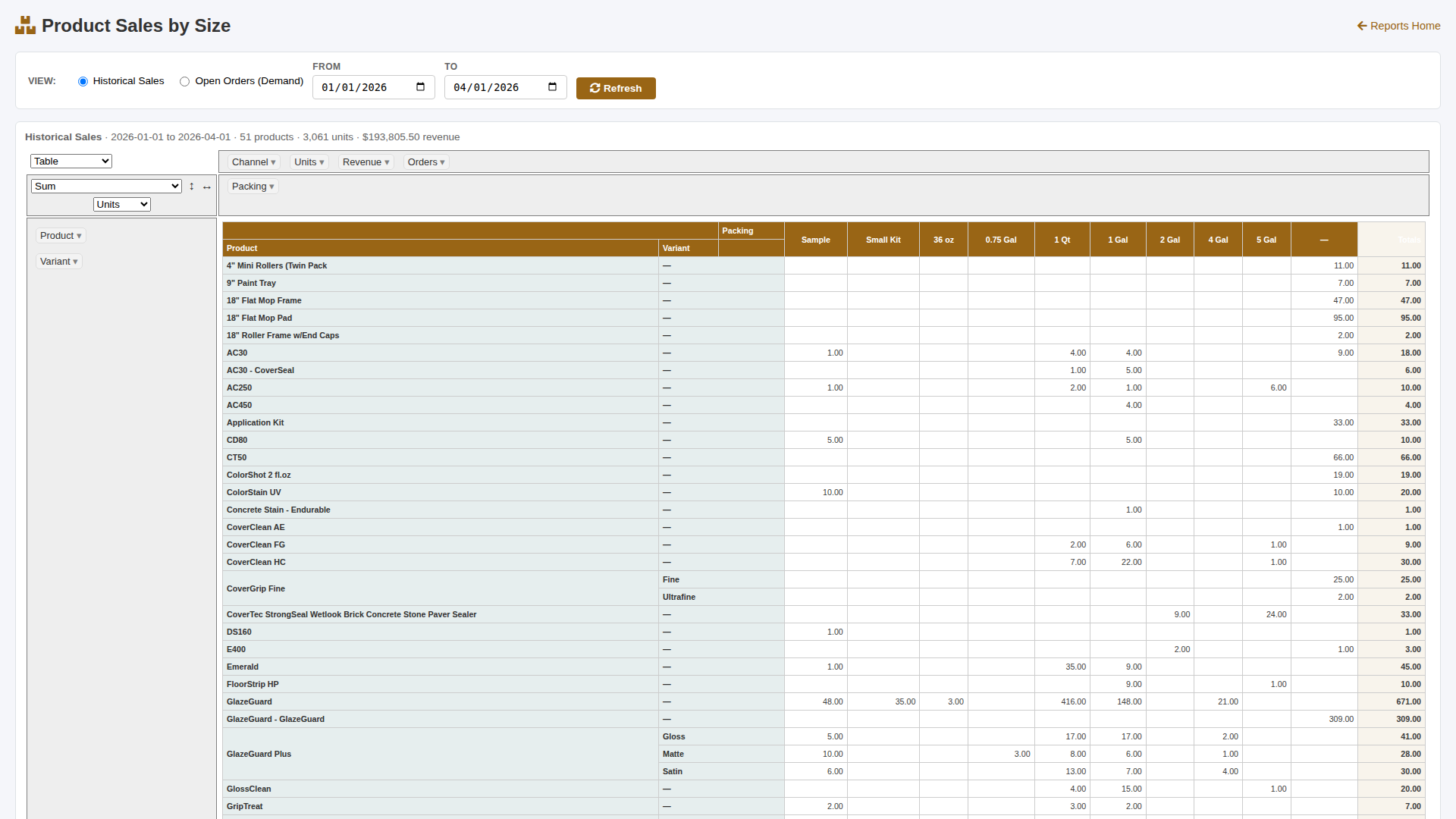
Product Sales by Size

Product Sales by Size - pivot table with drag-and-drop analysis

Analyze sales by product, packing size, and variant. Drag-and-drop pivot table for custom views.

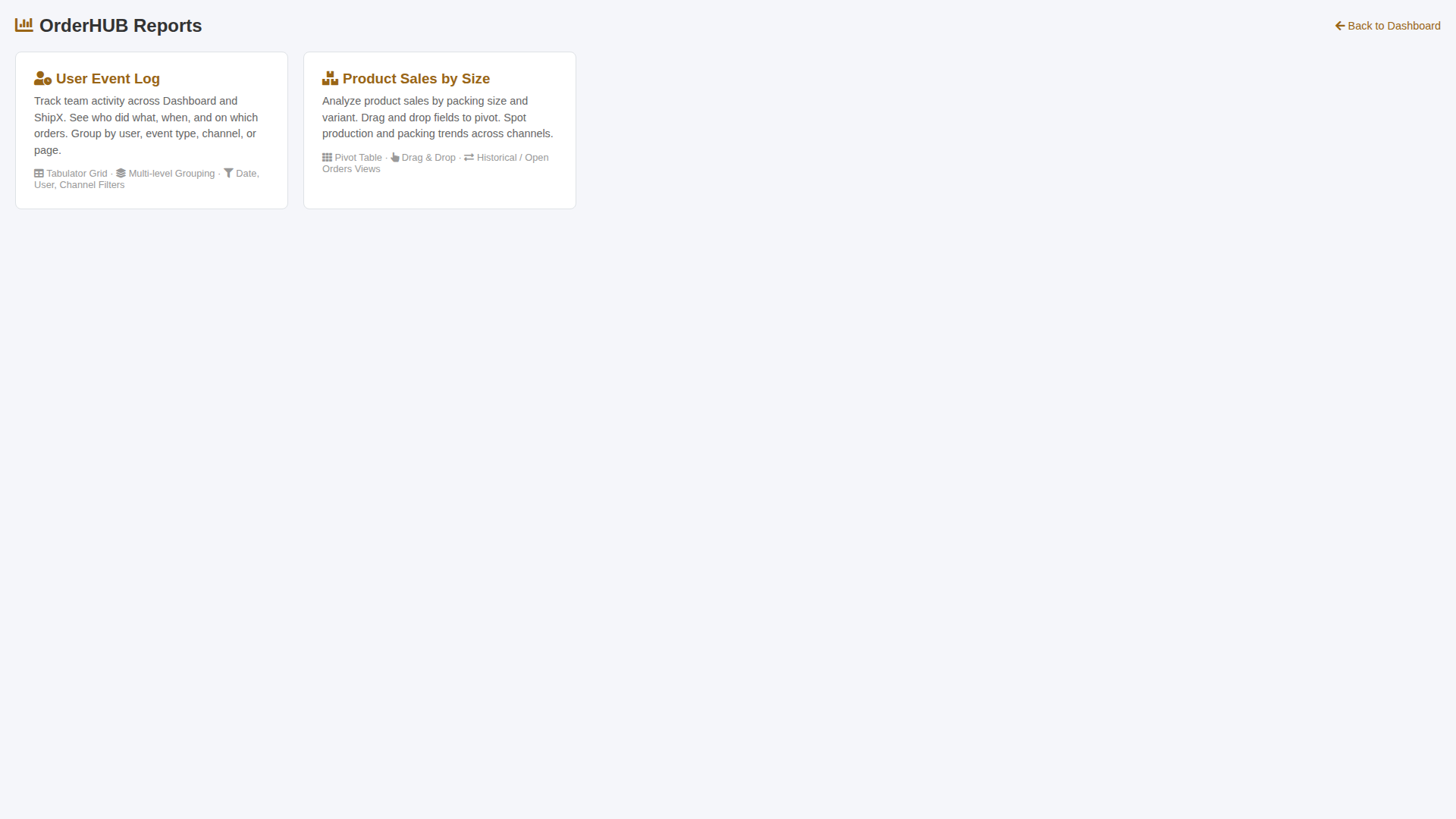
Reports Home

Reports dashboard - User Event Log and Product Sales reports

Works on Any Device

Manage orders from anywhere—desktop, tablet, or mobile

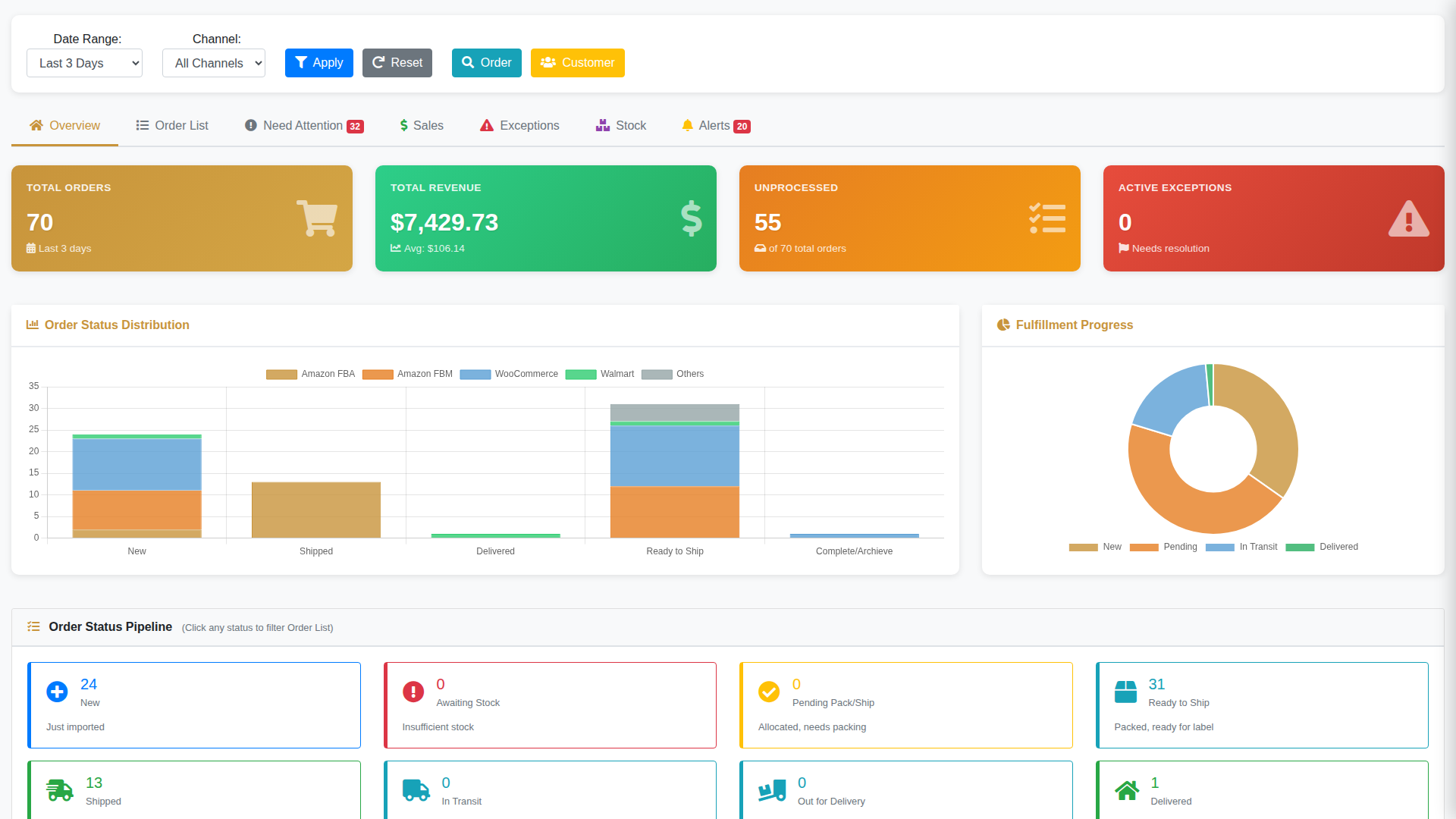
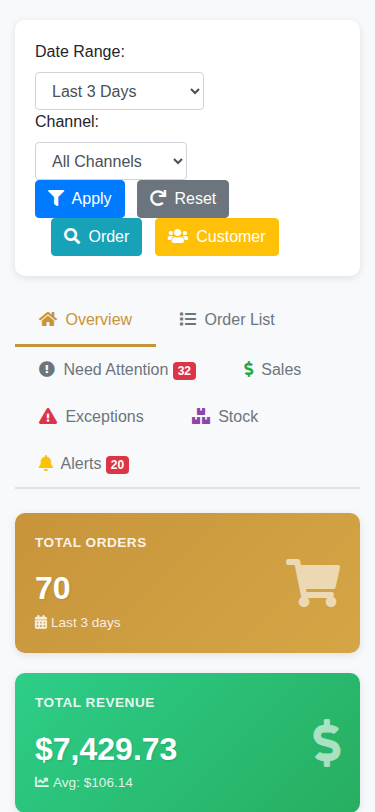
OrderHUBx desktop view - full dashboard on widescreen monitor

Full-featured interface for office workstations

OrderHUBx tablet view - responsive dashboard on tablet

Perfect for warehouse floor operations

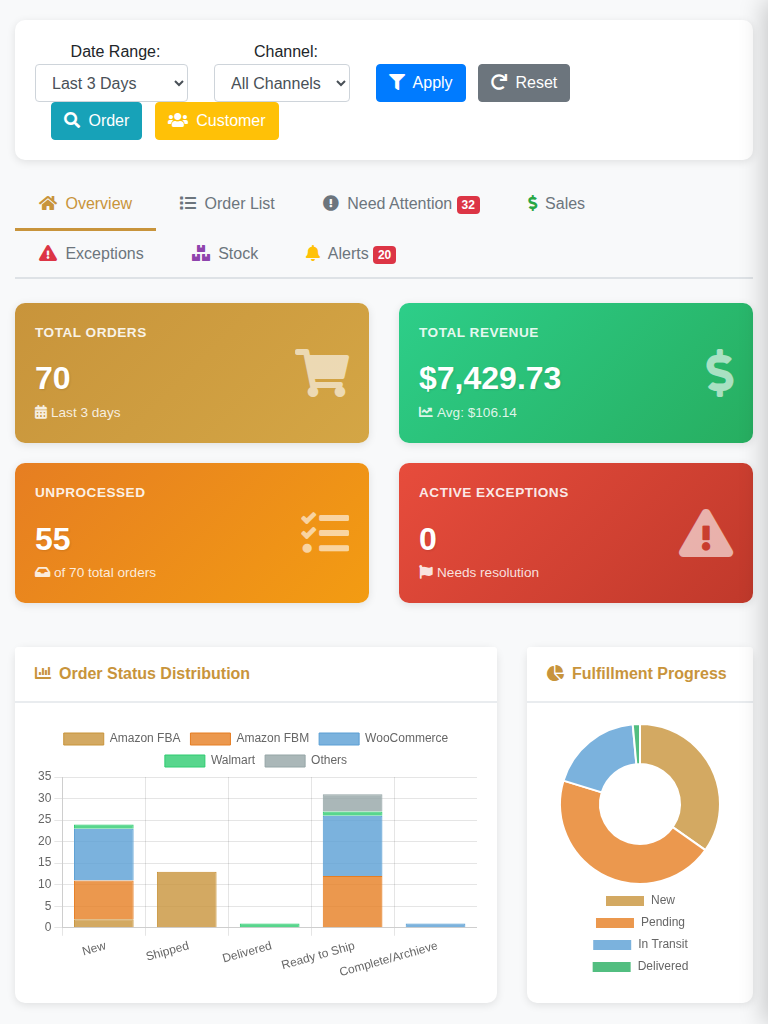
OrderHUBx mobile view - dashboard optimized for smartphones

Check orders and inventory on the go

We Train Your Team

Comprehensive training ensures your staff is confident and productive from day one

📚 Training Modules Included

  • Dashboard navigation and daily workflows
  • Order processing and fulfillment
  • Inventory management and stock transfers
  • Shipping label generation
  • Customer management
  • Reports and analytics
  • Troubleshooting common issues

🎯 Training Delivery

  • Live screen-sharing sessions
  • Recorded video tutorials
  • Step-by-step documentation
  • Role-based training paths
  • Practice environment included
  • Q&A sessions with our team
  • Ongoing support via email/chat

Real Results From Real Customers

These aren't projections—these are actual time and cost savings

⏱️
85%

Average Time Savings on Order Processing

💰
$25K+

Average 5-Year Savings vs SaaS Platforms

📦
5000+

Orders Processed Daily Across All Clients

Ready to See It Live?

Schedule a personalized walkthrough of OrderHUBx tailored to your specific workflow and channels.